

Oracle HCM just got smarter! With the new seeded tokens for Journey Event Alerts, you can enhance alert notifications effortlessly, making them more dynamic, contextual, and actionable for users.
This means no more generic notifications—your alerts can now auto-fill relevant details using predefined tokens, ensuring better engagement and clarity for recipients.
🔍 Let’s explore how you can enable this game-changing feature!
🔧 How to Enable Seeded Tokens for Journey Event Alerts
By leveraging Alerts Composer, you can easily insert seeded tokens into event alert notifications, ensuring that the right details reach the right users.
Step 1: Search and Edit the Alert in Alerts Composer
- On the Home Page, click Navigator > Tools > Alerts Composer
- Use the search bar to find the event alert you want to modify
- Select it and click Edit in the Action drop-down list
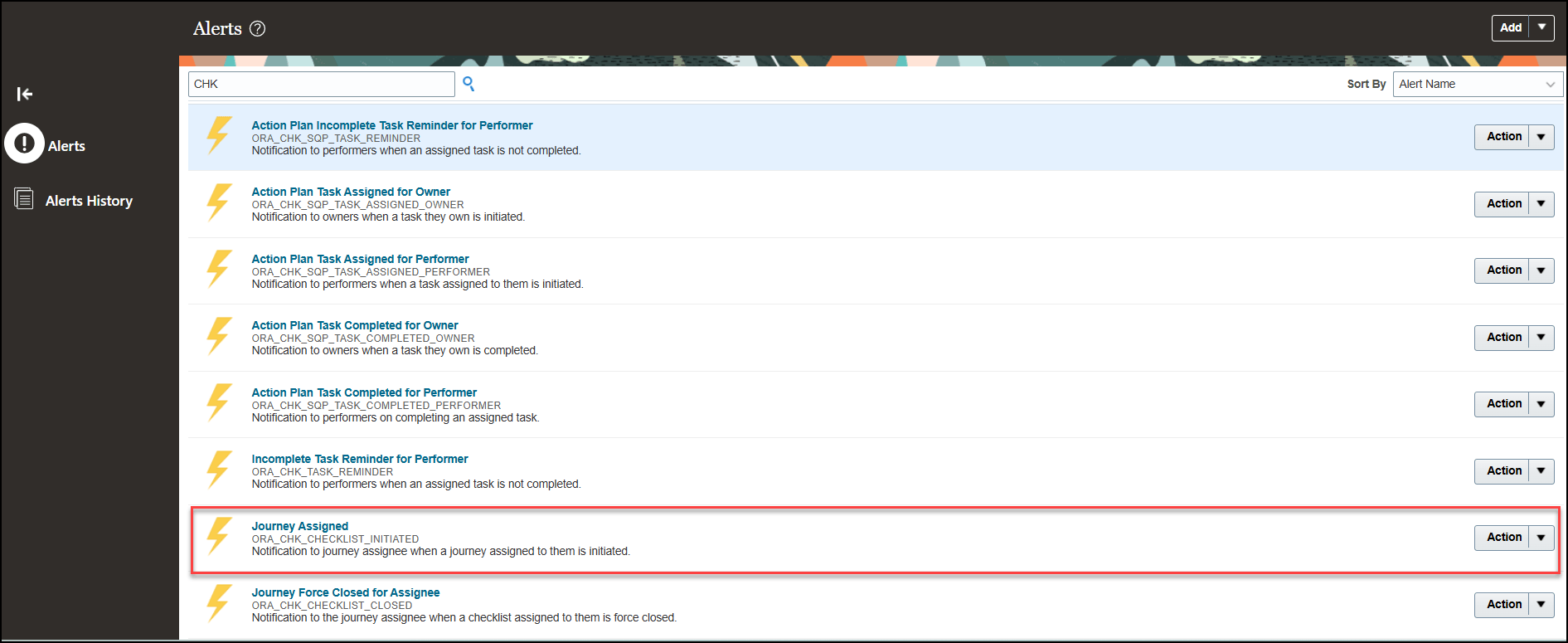
Step 2: Edit Alert Template to Add or Update Tokens
- Go to the Templates tab and choose the template you wish to update
- Click Manage Recipients and Message in the Edit drop-down list
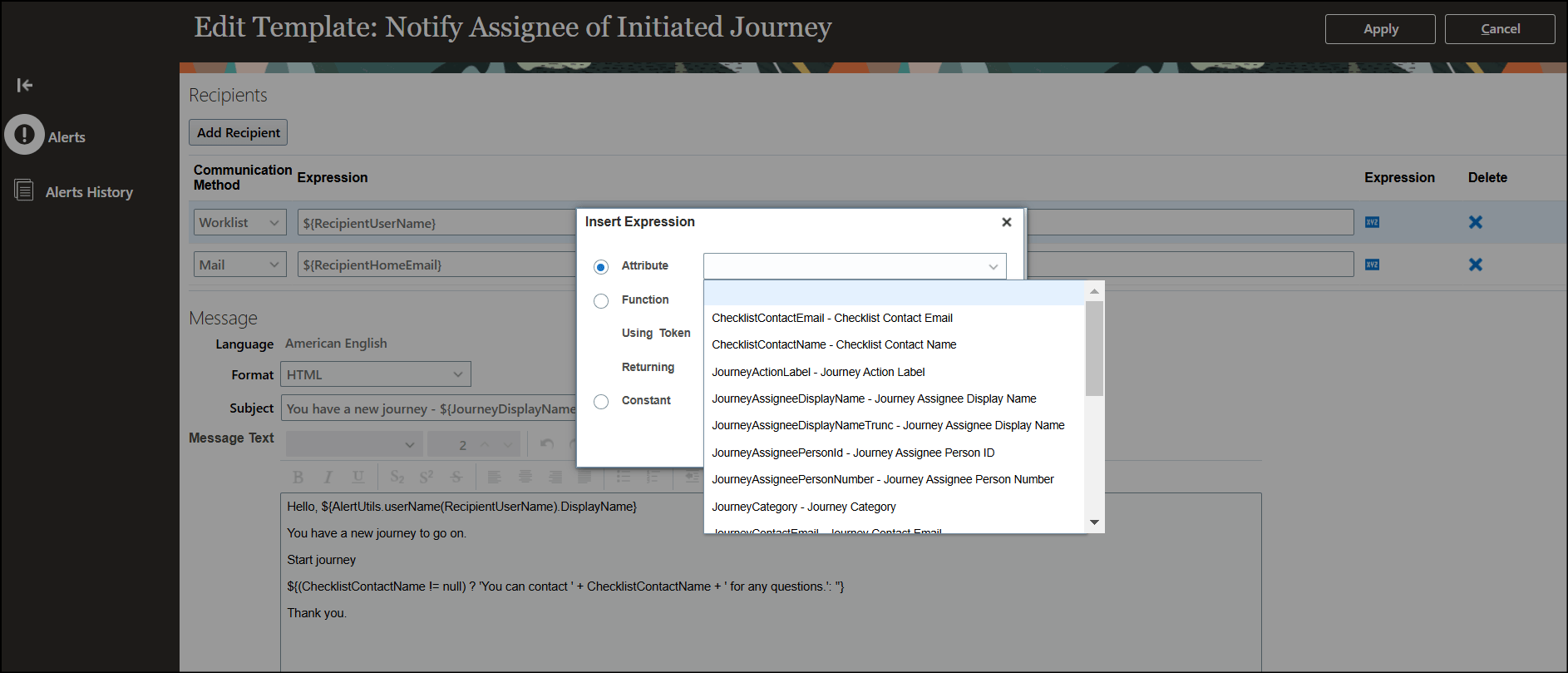
Step 3: Add Seeded Tokens in the Subject & Message
- In the Subject field, place the cursor where you want the token and click the Expression icon
- Select Attribute and choose the required token
- Click Apply
- In the Message Text field, place the cursor at the desired location
- Click the Insert Expression icon
- Select Attribute and choose the token you need
- Click Apply twice, then Save and Close
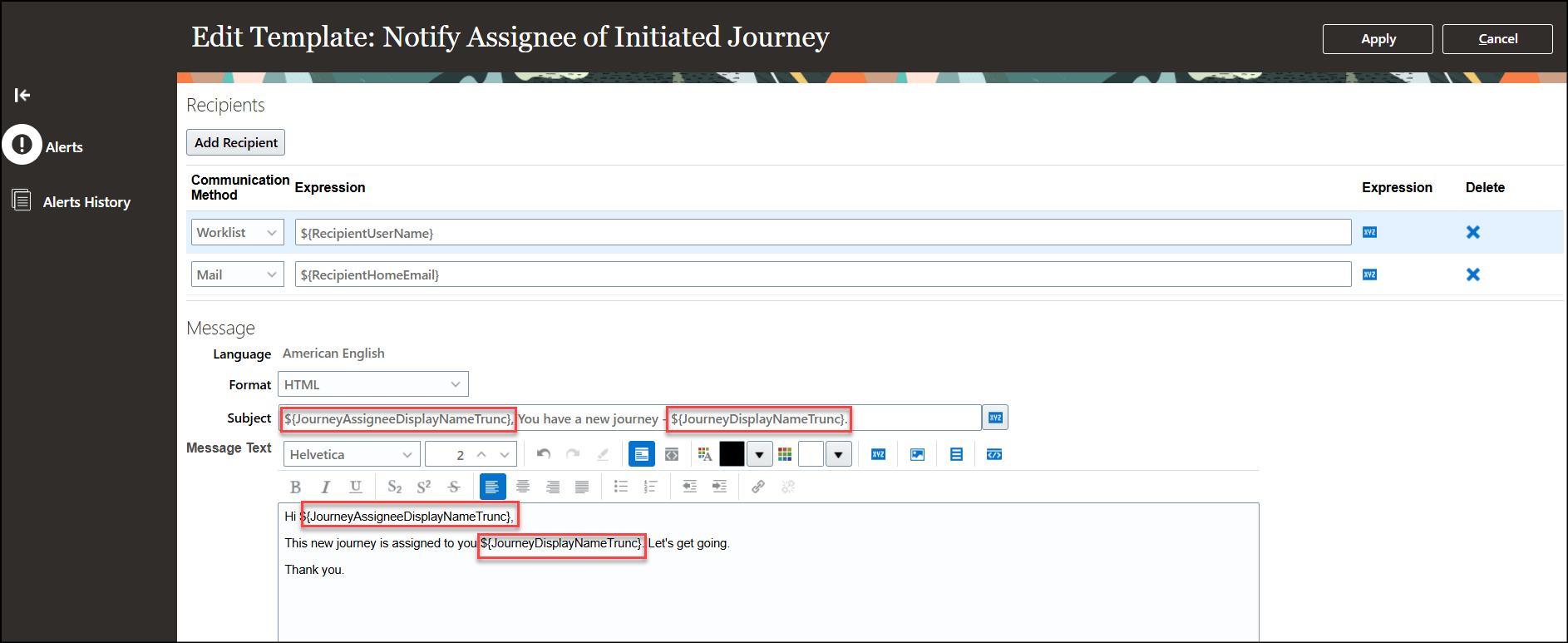
✅ Done! Your alert notification is now enhanced with seeded tokens!
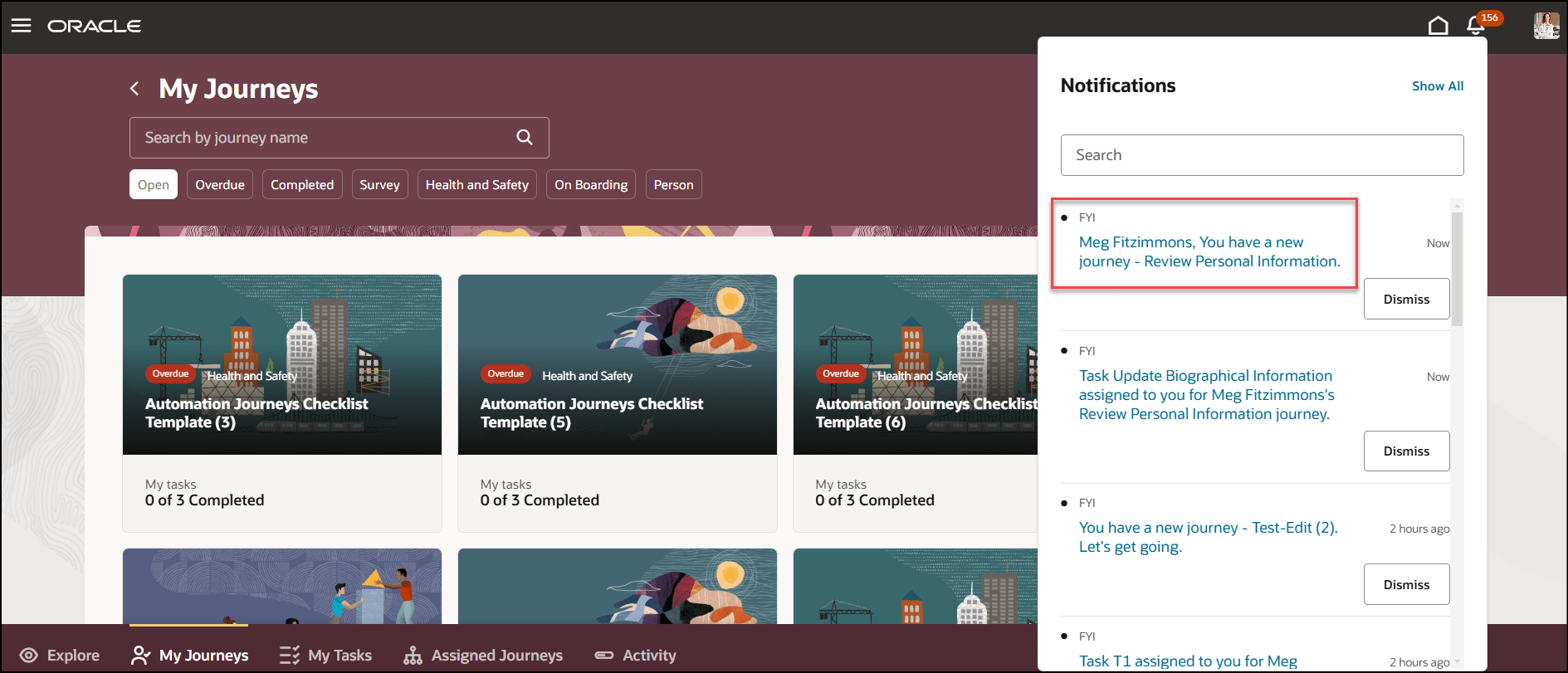
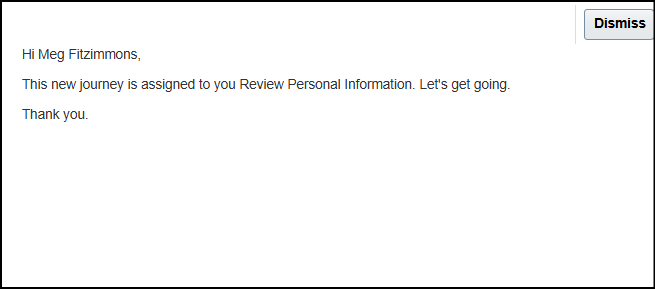
🖼️ How the Alert Notification Looks
Once updated, the notification appears with dynamic placeholders filled with user-specific data, ensuring the assignee gets the right message instantly.
📚 Overview of Alerts Composer in Oracle HCM
Alerts Composer is an intuitive tool that enables organizations to send real-time email and worklist notifications based on predefined conditions.
🔹 Types of Alerts in Oracle HCM
1️⃣ Event Alerts: Triggered when a specific event occurs (e.g., time exceptions from compliance rules). These alerts cannot be modified beyond notification content.
2️⃣ Resource Alerts: Based on Oracle HCM Cloud REST API resources, allowing filtering on resource attributes to define alert criteria (e.g., visa expiration alerts).
🚀 Key Features of Alerts Composer
✔ Configure notification templates & email formats
✔ Define multiple templates for the same trigger
✔ Use Groovy expressions to substitute runtime values
✔ Schedule alerts processing jobs
✔ Track notification activity and history
✔ Leverage DKIM and DMARC for a custom From Address
🌟 Why This Update is a Game-Changer!
With the ability to add seeded tokens, your Journey Event Alerts can now be:
✅ More Contextual – Personalized information directly inside alerts!
✅ More Actionable – Users instantly understand what to do next!
✅ More Efficient – No manual edits, everything is dynamic!
👀 Imagine sending a custom alert where the recipient instantly sees their name, department, and pending tasks—all without you having to lift a finger!
💡 Ready to Enhance Your Alerts? Try it out and transform your Oracle HCM notifications today!
🔥 What do you think of this feature? Let’s discuss in the comments! 👇


Leave a Reply